Subscriber Registration
Registration
This guide helps new users register and get started on the platform quickly and easily.
Step-by-Step Registration Guide
Step 1: Access the Registration Page
- Open the platform homepage.
- Click the Get Started button.

Step 2: Choose Registration Type
Select your registration type:
- Individual
- Company
Registering for an organisation?
2.1 Select Company if you are registering on behalf of an organisation.
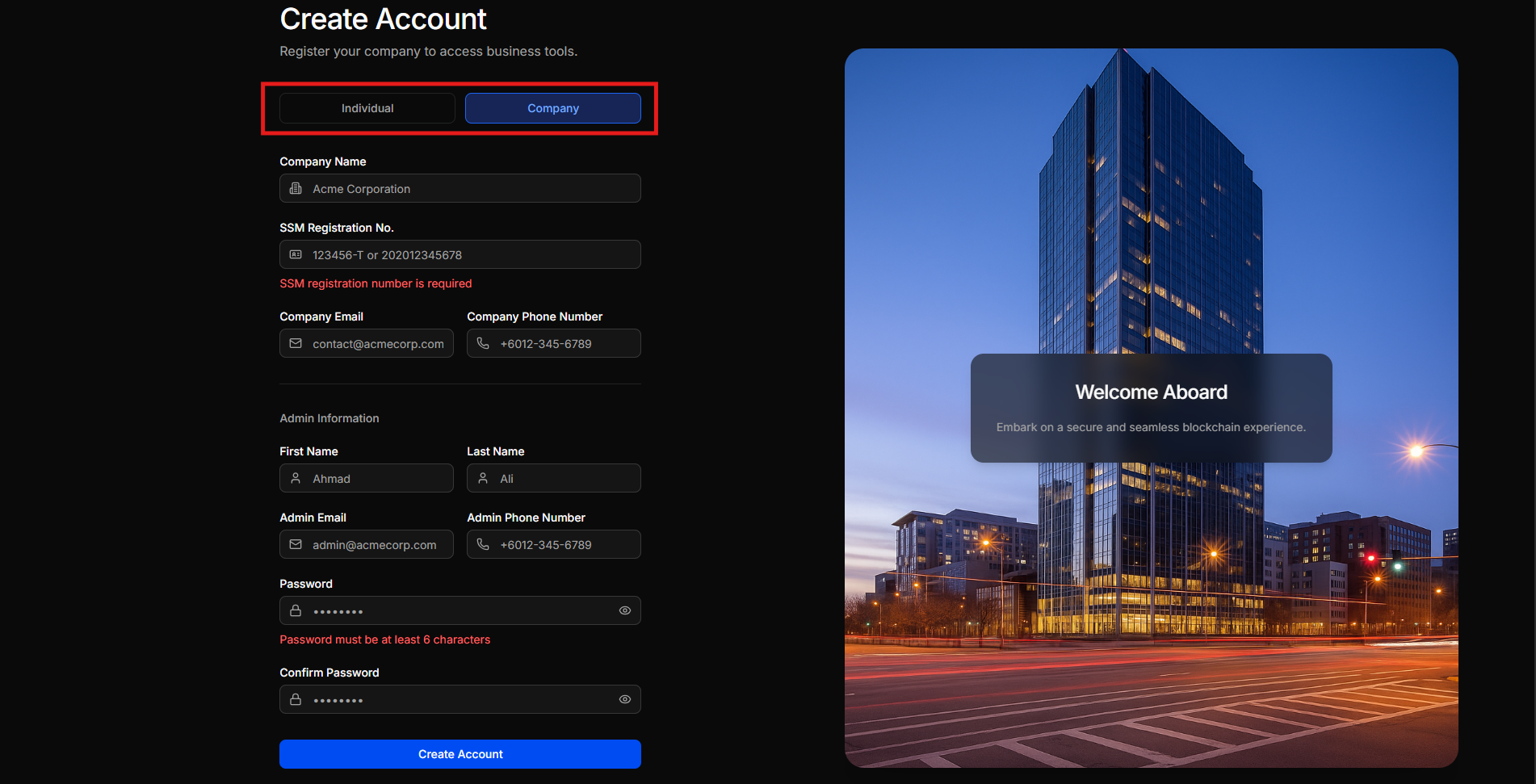
Step 3: Enter Company Details
Make sure you have the following information ready:
- Company Name
- Bussiness/SSM Registration Number
- Company Email Address
- Company Phone Number
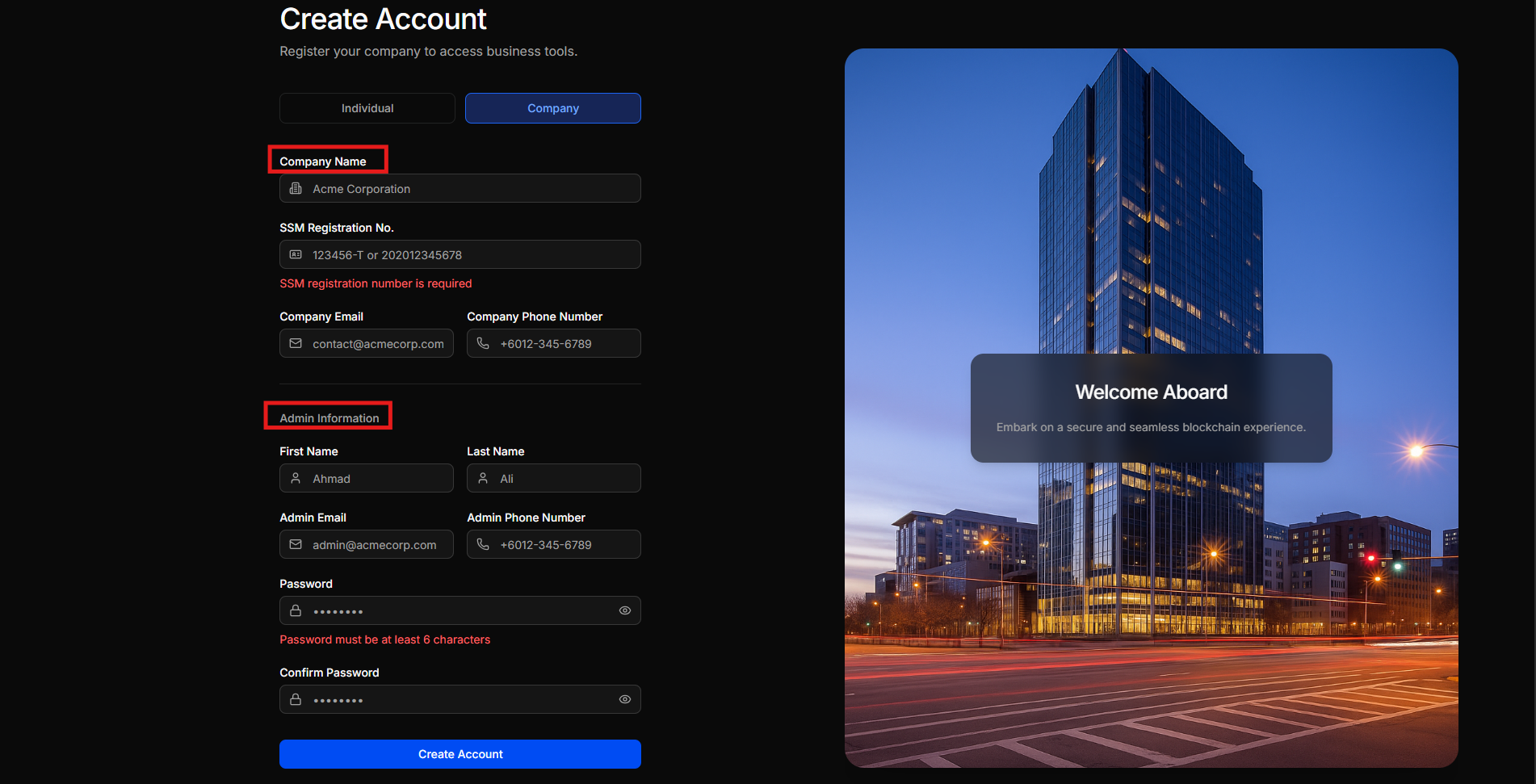
Step 4: Enter Admin Information
Provide details for the company administrator:
- First Name
- Last Name
- Phone number
- Password
- Confirm Password
Note: Ensure all information entered is accurate before proceeding.
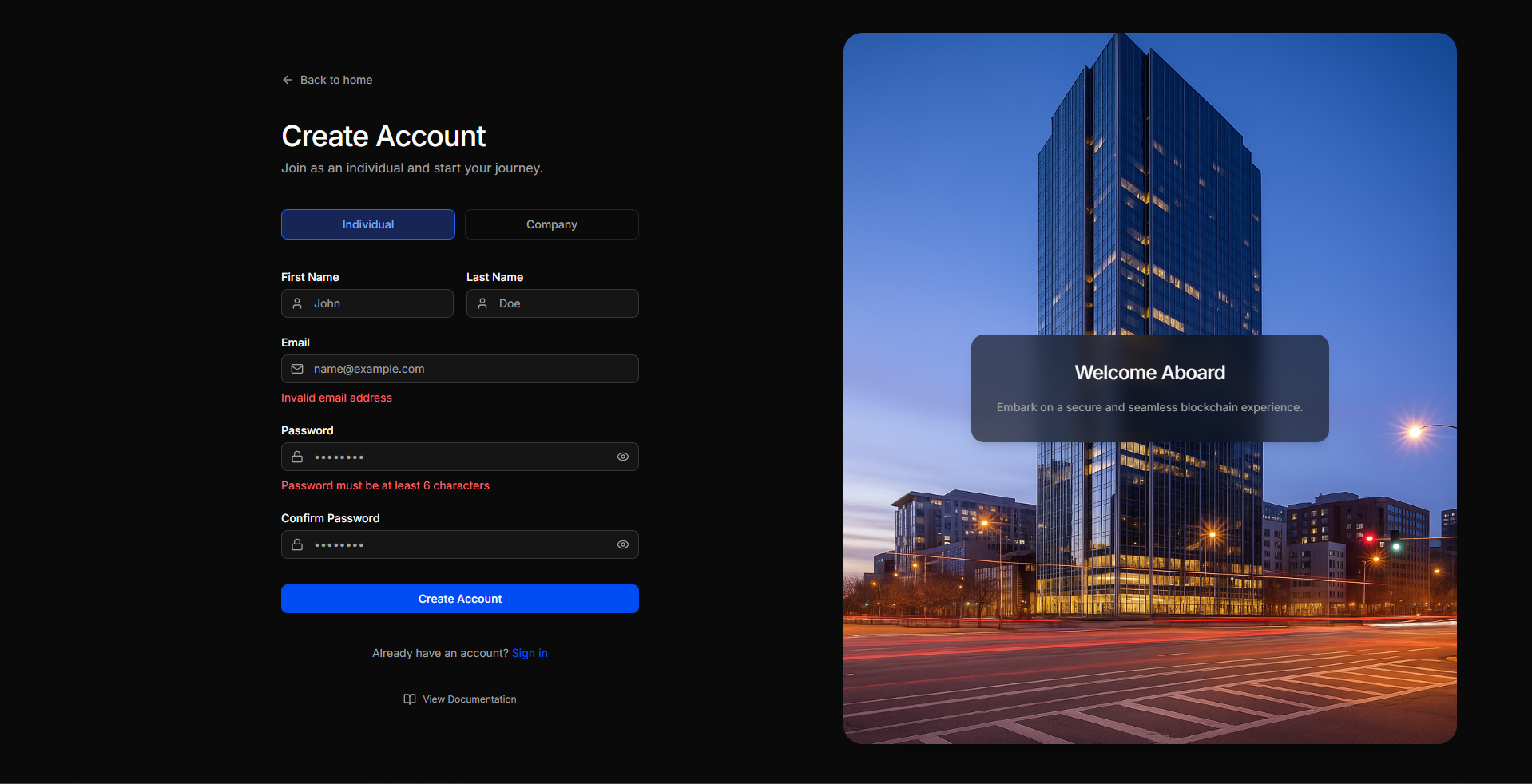
2.2 Select Individual if you are registering for yourself (personal account).
When you choose the Individual option, the registration form will display the following fields:
- First Name
- Last Name
- Password (minimum 8 characters)
- Confirm Password (minimum 8 characters)
Use this option if you are not representing a company or organisation.
Step 5: Submit Registration
- Review all the information entered.
- Click Submit to complete the registration request.
What Happens Next?
Approval Required
After submission, your registration will be reviewed by the system administrator.
Approval Process:
- After submitting the registration form, a verification email will be sent to your registered email address.
- Open your email inbox and click the verification link provided.
- A confirmation message will appear once your email is successfully verified.
- You will receive a notification once your registration has been approved, and your login access will be activated.
Login Access
Once approved, you can log in immediately using your registered email and password.
Completion
You are now successfully registered and ready to explore the features and services available on the platform.